毎日の歩数目標を変更するには、次のステップを行ってください:
- Health Mateアプリを開きます。
- プロフィールを選択します。

- 下にスクロールして毎日の歩数をタップします。
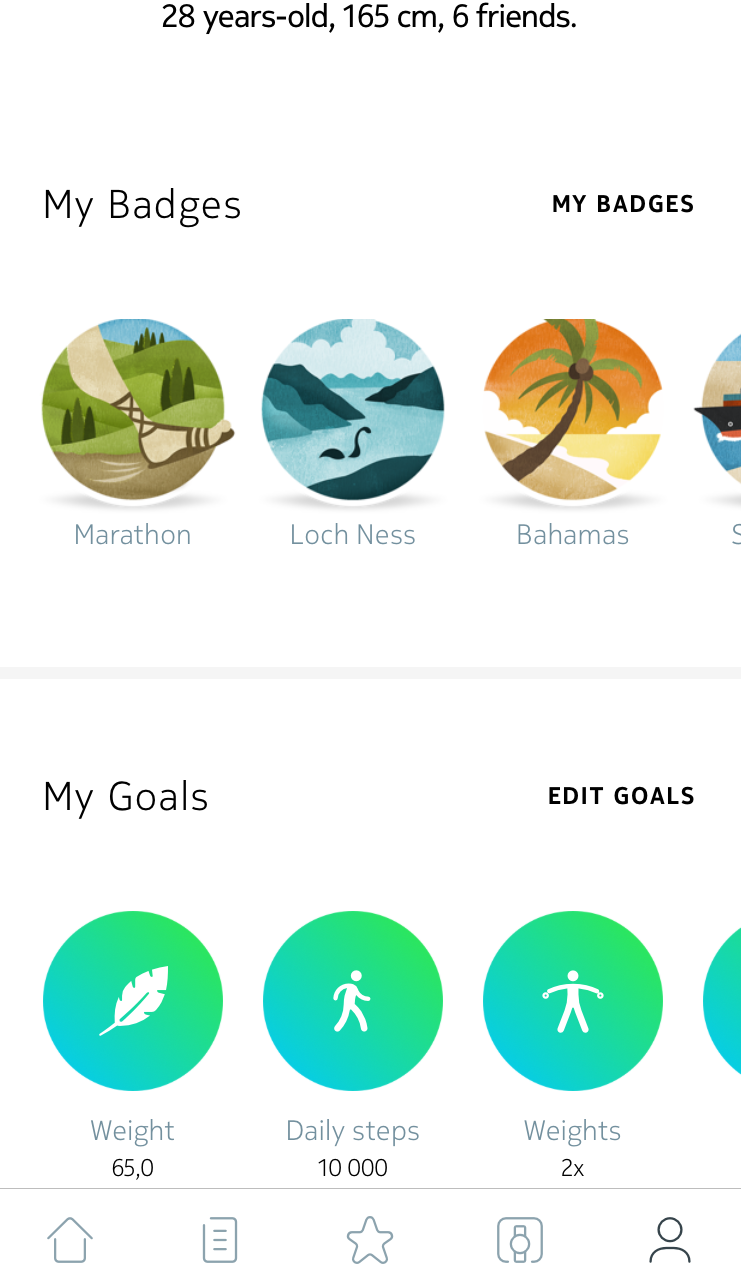
- 毎日の歩数目標をタップし、上下にスライドさせて目標を設定します。
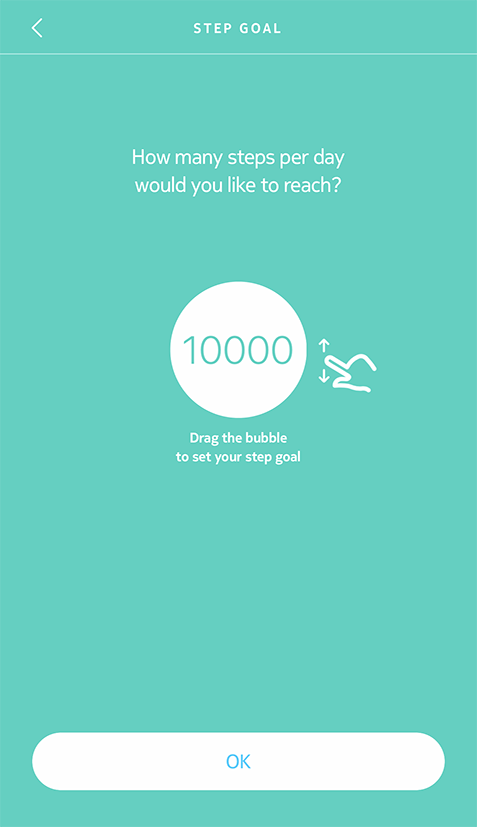
- 「OK」をタップします。
- タイムラインに戻りスワイプして、Move ECGを同期させます。
Please note that editing the step or the stride length is not possible at the moment, but rest assured that our teams are working to make it available in the coming months!