App Says Connected to Watch but will not sync
176 comments
39 likes
likes
176 comments
39 likes
likes
UPDATE 10/01/2025:
Hello everyone,
This morning app version 7.2.1 was released, this version adresses the connectivity issue on version 7.2.0. Please make sure your app is on the latest version, should you still encounter any difficulties please contact us under this link.
Thank you for your patience and have a good weekend.
Best regards,
Markus, Withings Customer Service
----------------------------------------------------
Original Post 07/01/2025
Hello everyone,
We are currently experiencing issues concerning the connectivity between the Withings App on iOS and certain Steel HR devices. This has started with the update to Withings 7.2 a few days ago. I would, first of all, like to apologize for this situation and reassure you that we have isolated the cause for this issue and are actively working on a fix at this moment. We do not have a precise date for this yet, but I will keep you updated as soon as the issue is resolved.
Thank you and have a good day.
Best regards,
Markus, Withings Customer Service
I had the same issue. At first thought it was an issue with the watch and did a factory reset but now it’s showing me an X on the screen every time I try to pair it. I think it might be a bug with the latest app version that got released yesterday because it started happening right after I updated it
likes
Same problem for me. I have a Steel HR.
I updated the app to the latest version yesterday. (Update - Version 7.2.0). After updating, the watch was not working properly with the phone. E.g. changing the alarm time on the phone had no effect.
So I did a factory reset, following all the instructions (I have done this successfully before). Trying to re-install, the app recognizes the watch, and I can pair them with the code provided,
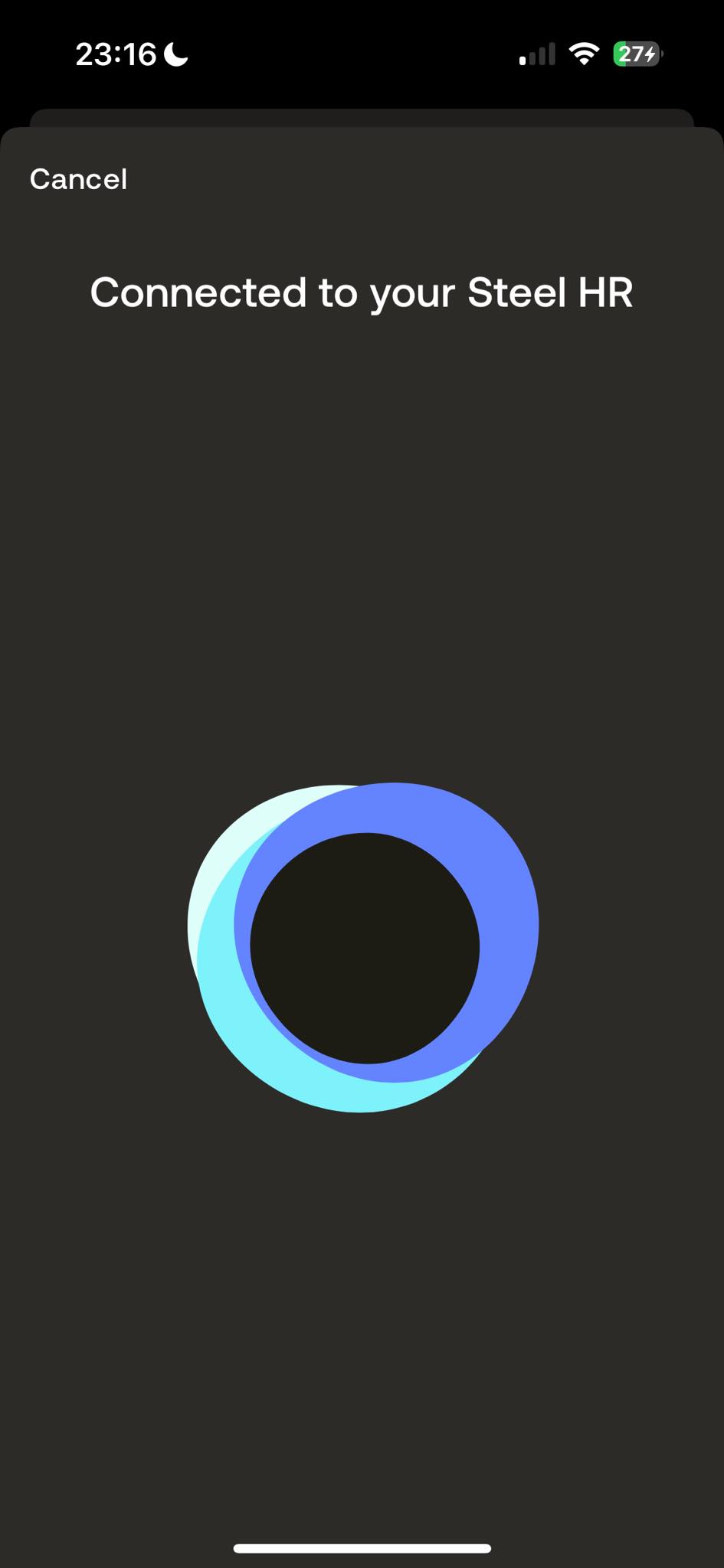
But then it spins on the page below. After 5 mins or so it times out, and goes back to "Click to wake up your Steel HR". I can do that and go around the loop again, which I have done multiple times.
It seems likely to me that this version of the app doesn't work with some versions of the watch. Mine is an older one with "Nokia" branding.
Edit: My watch is fully charged as is my phone. My phone is running IOS 18.1.1.
Very frustrating.

likes
I have had the same problem. My husband tried pairing the my watch to his iPhone - when asked to update the app he refused and continued to successfully pair the watch with the older version of the app - at least I can tell the time and st an alarm now but that’s it! 😞
likes
This has also happened to me - extremely frustrating! Definitely seems to be an issue with this particular version of the app with Steel HR watches. I also wouldn’t necessarily rely on the alarm function - before I did the reset process which totally broke the connection, I tried to switch on an alarm for this morning, and it didn’t go off! Luckily I had other alarms set up but still, not ideal!
likes
Yes my problem started when I wanted to set a second alarm. It got as far as the pressing the check mark but nothing would happen - I could only have one alarm set at once. That’s why I tried to reset the watch and the whole scenario went down hill from there.
likes
I have the same issue. I believe it was started with the latest Withings app update.
likes
Me also. After the app update I tried to change the alarm setting and it wouldn't work, so I did the reset.. and now nothing works.
likes
I’ve raised a case with their support team so if I hear anything back on Monday (because no one has issues on weekends apparently) I’ll drop a note in here. Broken watch solidarity to you all!
likes
Well done and thank you, Jess G. I could not find where to raise a case/ticket. I only found the weekday only chat.
likes
Me too - I saved the link to chat on Monday morning - thanks Jess!
likes
It’s via their Twitter account @AskWithings - suspect it’s the same people who man their web chat but thought it worth getting things in motion!
likes
Thank you for all the comments and it’s helpful to know there are a lot of other people affected by the same issue. I really like my watch, and was disappointed at the thought of having to throw this one away. Thank you Jess G For discovering how to contact their support through Twitter. Hopefully they will issue a new version of the app that corrects the sync issue soon!
likes
Same issue here.
If any devs are reading, this issue seems to only affect the iOS app.
Can't speak for prior versions, but I'm having the issue described above on iOS 18.2 (iPhone 12) using Withings v7.2.0, whereas on Android 14 (Withings v7.1.1), I'm able to complete the setup without a hitch.
I'm also rocking an older Nokia branded watch (fw:7041, bl:27, sdk:0.0.0, sd:195, mid:120122, cid:000200).
likes
I have the same issue. Watch connects to phone, but does not get past the connected screen. Not an issue ok Android.
Nokia Steel HR, fw 7041, bl 27, sdk 0.0.0 as 195
iOS 18.2, iphone SE and iphone 15 Pro tested
App version 7.2.0
likes
Hmm.. my watch has the same details as Zach and Kel
(fw:7041, bl:27, sdk:0.0.0, sd:195, mid:120122, cid:000200).
likes
Exactly the same here! Problem arose when I did the new update...and when I tried to change my alarm. Did a factory reset on the watch, uninstall and re-install the app, try on another iPhone. NOTHING works :(
We're all having the same issue, so I hope Withings is going to find a solution pretty soon... This sucks
likes
Same problem after updating the app. I have uninstalled and reinstalled app, cleared cache, factory reset, tried another device and same result just hangs on the connecting to Steel HR screen then times out : (
likes
Did the same + scrolled though the shop to find the price of the new watch in case it’s a hw problem. Now I see it should be fixed. Please issue a patch guys, after 5 yrs of daily usage it really sucks now.
likes
Same issue here. Hope it will be solved soon (guess Monday). 🤞
likes
More weirdness this morning - I got my watch up and running on an Android (hurrah), and then all of a sudden it asked to sync with my iPhone app (six digit bluetooth code). Now it’s half syncing with my iPhone, albeit with a big delay and the alarm syncing isn’t working. It’s definitely not syncing with the Android app and uploading to iPhone via Withings servers as the Android phone is off. Basically it’s back to how it was before I did all the factory resets. Still definitely needs that additional fix though.
likes
iOS 18.2 and Withings 7.1.1 was working perfectly fine. Upgrading to Withings 7.2.0 totally broke at least the alarm functionality (only one alarm, removed the alarms that were configured, alarm time cannot be set, alarm doesn’t go off). There might also be oddities with the syncing - not sure.
I really hope these things will be fixed rather sooner than later.
likes
Same here. My watch died and after recharging it the app wanted to update. Did the update and now the two won’t sync. I did a factory reset, I deleted the app and reinstalled. I did everything the unhelpful support notes tell you to do and nothing works. This new app update has definitely broken something. It just sits there saying connected to your steel hr and the watch goes to sleep and it’s done nothing. I’ve @‘d them on Twitter and dm’d them. And will continue to message them publicly until fixed.
likes
Same here. I just started using my watch again after a couple of years. Hard reset, reinstalled the app, latest updates, nothing. The app gets stuck on the connected screen and does not proceed, even though bluetooth connection is fine and the pairing code is displayed and entered correctly.
likes
Adding details here for when this gets picked up by devs.
Same issue - Steel HR (Nokia branding) on fw 7041 unable to successfully sync with Withings app since updating to v7.2.0
Discovered when trying to set an alarm for the first day of work after the Christmas break last night.
likes
same issue here with the new version of the app.
likes
Same problem for me. After updating the app, I tried to change the alarm settings, but it didn’t work, so I did a factory reset as suggestion on their website ... and now, nothing works anymore.
I have a Steel HR and a Body+ scale, and now I can’t connect to either device. I’m really angry about this!
It looks like I’ve lost all my data history since 2019.
I’ve always been a loyal advocate for Withings, recommending their products to everyone around me… But now I’m seriously wondering if it’s time to switch to Apple products instead. This situation is extremely disappointing
likes
Exact same issue - updated the app yesterday, and only realised there was a problem this morning when my alarm didn't work (had tried to change it but it didn't sync). Tried everything - relinking watch to phone etc, but now stuck in the connecting part where it times out eventually not being able to progress. A real pain as I've had this for years and do rely on it for the alarm function to wake me and not the wife! hopefully will be fixed soon.
likes
This needs to be rolled back asap. Clearly not tested on all hardware. Steel HR watches are completely unusable if trying to set up for a new user or on a new device. Keeps trying to connect as above posts. Seriously, who's testing this? Clearly nobody.
likes
Same for me. The watch is still working as I did not reset but no more communication. The remaining power is different between the watch and the app, even if the app says it is connected. We just need to have access to the old version of the app !!! Where could we find it ?
likes
Leave your own comment
Leave a comment as