App Says Connected to Watch but will not sync
176 comments
39 likes
likes
176 comments
39 likes
likes
I have a Nokia Steel HR with the same problem. After updating the app, I tried to reset the time but it didn’t work. Factory reset as suggested and same, nothing works.
I’ve had no problems with using this watch since buying it in Dec 2017
Quick solution required please withings.
likes
Same issue as everyone else. Can’t update alarm to be new time or days. Checkmark to confirm change does nothing.
Have a Withings branded Steel.
00:24:e4:b9:ac:21
likes
Same problem for me since I updated my healtmate on my iPhone (iOS 18.2) I couldn't sync my watch (steel hr 95) and after factory reset I can't pair it with my phone. I tried with an old Android phone and it works perfectly.
likes
I made it working :-)
https://testflight.apple.com/join/W6nOwUHe
Join the Withings beta tester program and install 7.1.1 - worked as charm for me. Sort of a rollback for developers.
likes
I install testflight but I can only access latest version 7.2 (that still do not work). i did not find where to install 7.1.1.
likes
Sorry, I find it below : previous build 7.1.
It is working fine but only for 60 days, it says.
likes
Had same problem, and no help from costumer service😥
Did the install of 7.1.1 and now it works🫣
Sad that this is not tested before launch.
likes
I think after such push-ups i will keep Withings in TestFlight mode just to be able to undo the update.
likes
my watch started by having the wrong time... but could not reset. I did everything it said to do.... factory reset and delete from app and reset ... now NOTHING works!!
likes
Try testflight as Aleksandr.
Go to apple store. look for testflight. install it.
Use the link above to become withings beta tester program.
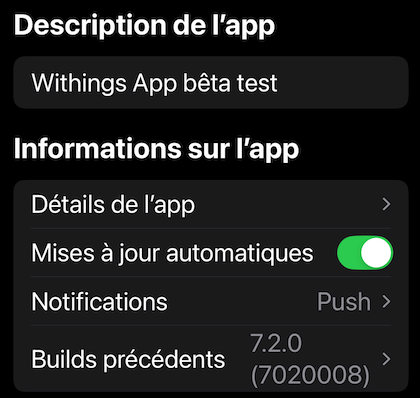
Find in testflight "App informations > previous build : select 7.1.1
It will reinstall previous working version. Do not update anymore until someone tests new version hopefully working !!!
likes
Has anyone successfully received help from customer support? I tried online chat but the delay between the bot and the human agent coming online was almost an hour and I just couldn’t stare at my phone for that long waiting for help.
I’m not convinced test-flight is the answer it’s not a permanent fix after all.
I’d be interested to hear if anyone has had actual support from Withings on this issue.
likes
I contact the support. The answer was : "
I will forward your file to the technical service and get back to you quickly by email.
So 60 days of testflight is not that bad.
likes
After a lot of time waiting, and Withings closing the support request on my first attempt without actually helping, I have been in touch with support on this issue. They were not particularly useful; the most they could say was to restart the app, phone and watch, all things I had tried myself, and they wanted me to factory reset but I refused since they could not guarantee that 7.2.0 would let me reconnect. They have finally passed on the issue to the senior support team. In my chat, I sent them a link to this forum page.
likes
Here is the answer from the support :
https://support.withings.com/hc/en-us/articles/227726747-Steel-HR-Steel-HR-Sport-Using-the-alarm
Just about using alarm but this is not the point.
It is a bot answer !
likes
No QA in Withings team I guess. No release engineers. No customer care. Only sales and design. Whoever is experiencing the problem, please install the previous stable version 7.1.1 using TestFlight. Hope something will be released soon. But I am disappointed.
likes
For those who installed version 7.1.1 via TestFlight: is it possible to recover the history of your data (activity, sleep, etc.) after switching to this version? I am disappointed too.
likes
All data seem to be in the app with the 7.1.1; It reloads at start. I see all of mine, I think
likes
Upgrading to Withings 7.2.0 totally broke at least the alarm functionality (only one alarm left, removed the alarms that were configured, alarm time cannot be set, alarm doesn’t go off). There are also oddities with the syncing.
I really hope these things will be fixed as soon as possible.
likes
I got this response from the human chat after the chatbot was useless:
As for this case, I'll go ahead and forward this matter to our senior support team so they can investigate this issue further. As soon as I have an update from our team, I'll get back to you via email.
I’ll report back if I hear anything - in the meantime the Testflight rollback definitely works as a temporary fix, thanks to Aleksandr for the suggestion!
likes
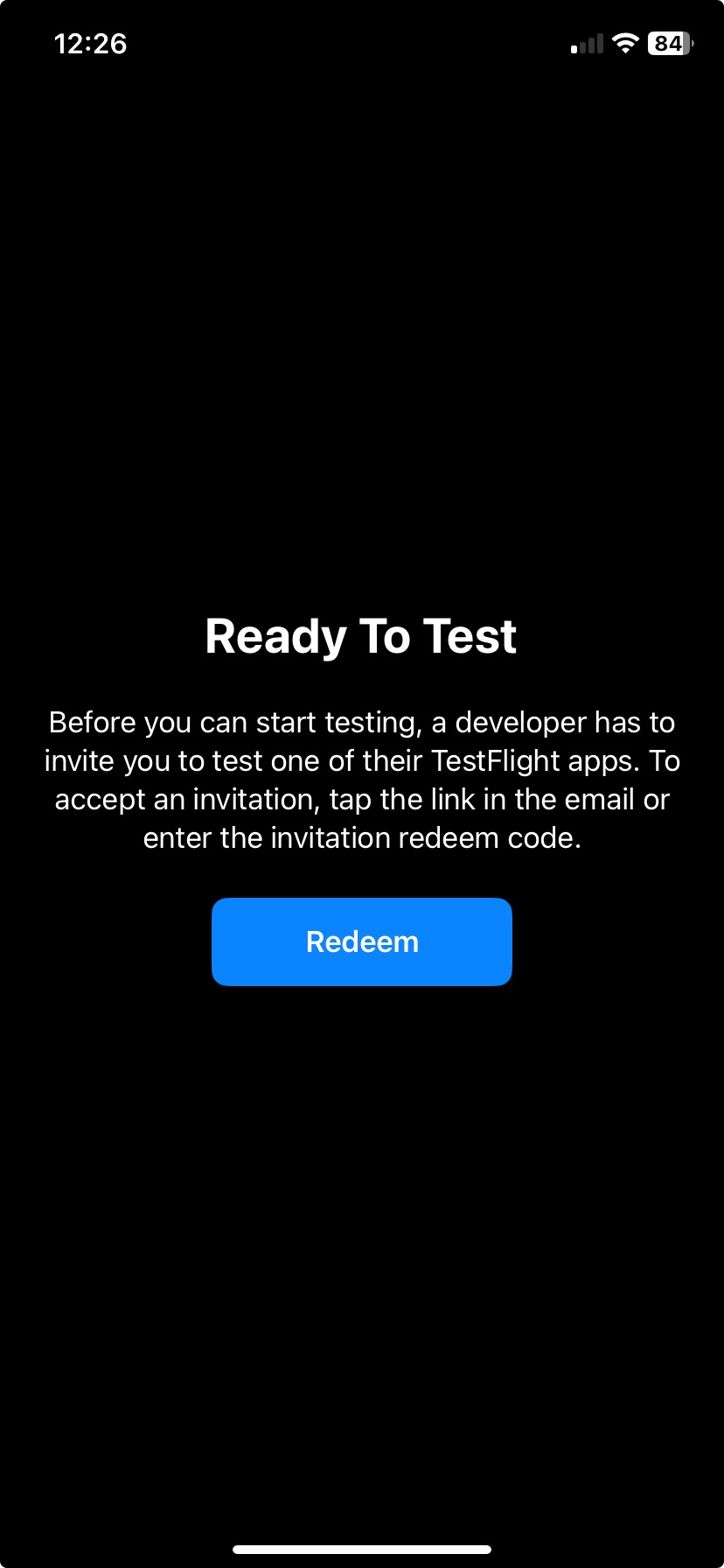
Hello folks. How do you get to use the Testflight app? I have downloaded I get the following message:
likes
I just had the same experience with support.
After waiting over an hour, I was asked to do a factory reset, remove the app and reinstall etc. I had already done all of that (no success) so I told the agent.
Finally I got this response.
" I will be forwarding this issue to our senior support team for further investigation. Once I receive their feedback or any updates regarding the situation, I will promptly inform you via email."
In the meantime I'll look into Testflight.
I am surprised by the lack of support. How long will it take Withings to realize there are many of us with this issue, and to read this forum thread?
likes
@Laurence mine is there bar the period that the watch was completely out of action post-factory reset. I have got mine set up to sync with the Withings servers, which I think you have to do now (ie. it happens automatically as you have to sign into your Withings account on the app) so your data should be safe.
likes
I’ve followed the instructions to install version 7.1.1 via TestFlight, but I’m having trouble. When I go to 'Previous Builds' in the TestFlight app and click the arrow, nothing happens. Is there a specific step I might be missing?
likes
I refuse to go through the hurdles of installing TestFlight. That is not what I signed up for
At this point, I'm so disappointed with the lack of acknowledgment and response that I'd rather get a watch from another brand. Sad because I really was thinking of upgrading to a ScanWatch. If my SteelHR weren't a couple of years old, I'd definitely ask for a refund.
likes
I'm adding my name to the list of people having problems. I tried to set an alarm, and the watch would not sync. It was stuck on the alarm I was using during my holiday break. Like others, I tried rebooting the watch and the phone, force-stopping the app, and toggling the alarm on and off, but nothing worked.
likes
The problem is no one has even tried to help us. It's been 3 days since stuff is broken and they keep silence. Not recommended anymore.
likes
Laurence, try to reinstall TestFlight, it should show five versions 7.0.0 till 7.2.0.
likes
I just received an update from support, asking me to charge my watch to 100% and try again.
I had already done this.. so I told them that.
No sign of anyone yet realizing they have an issue and actually trying to fix it.
likes
I have the same issue on a Steel HR sport.
First I noticed where the alarms too but the the battery percentage did not match so the synching got all messed up. After a factory reset, there was no way to connect the watch to the phone again.
The downgrade via TestFlight worked indeed.
To those with issues on TestFlight you first need the app (it will prompt a message saying you already have it, just go through). Once installed, open TestFlight again and then the drop-down list of earlier versions is available. Select the previous version and install.
likes
Works great with Testflight, at least for the next 59 days.....
likes
Leave your own comment
Leave a comment as